I rewrite this from boycracked, Ishtiyaq Husain, Techolaty.net, XDA.
FOR ADVANCED USERS ONLY. I WONT BE RESPONSIBLE IF YOU BRICK YOUR DEVICE DUE TO A POWERCUT OR YOU MISSED ANY STEPS.
This method is actually for lenovo a6000 but for a6000 plus after flashing we need to recover the CWM backup of stock kitkat of lenovo a6000 plus.
Flashing requires a UPS backup or a laptop which won't shutdown in the middle as this process requires 6-8 mins
All OTA updates work for Lenovo A6000 as we have flashed the original stock rom of lenovo A6000. But as there is no stock rom available on the internet for lenovo A6000 plus. The minor firmware updates wont work for Lenovo A6000 plus it gives a status 7 error even after flashing the stock recovery, however the lollipop update gives an error status 14 but works fine.
On lenovo A6000 plus Minor sw updates won't work on KitKat. On lollipop I have not tested as there is no minor update till now for lollipop.
i. Do not unplug the usb cable if after plugging in the phone in download mode the adb interface driver is not installed by windows and flashing is started. Its normal.
ii. In lenovo downloader it will seem like the flashing is stuck after some seconds but it is not so the flashing is going on so DO NOT UNPLUG THE USB.
iii. In lenovo downloader in the step tab only the firehose is seen but it doesn't mean that flashing is stuck. Let the process finish without disturbing the USB cable. It will require 6 to 8 minutes or 15 minutes max.
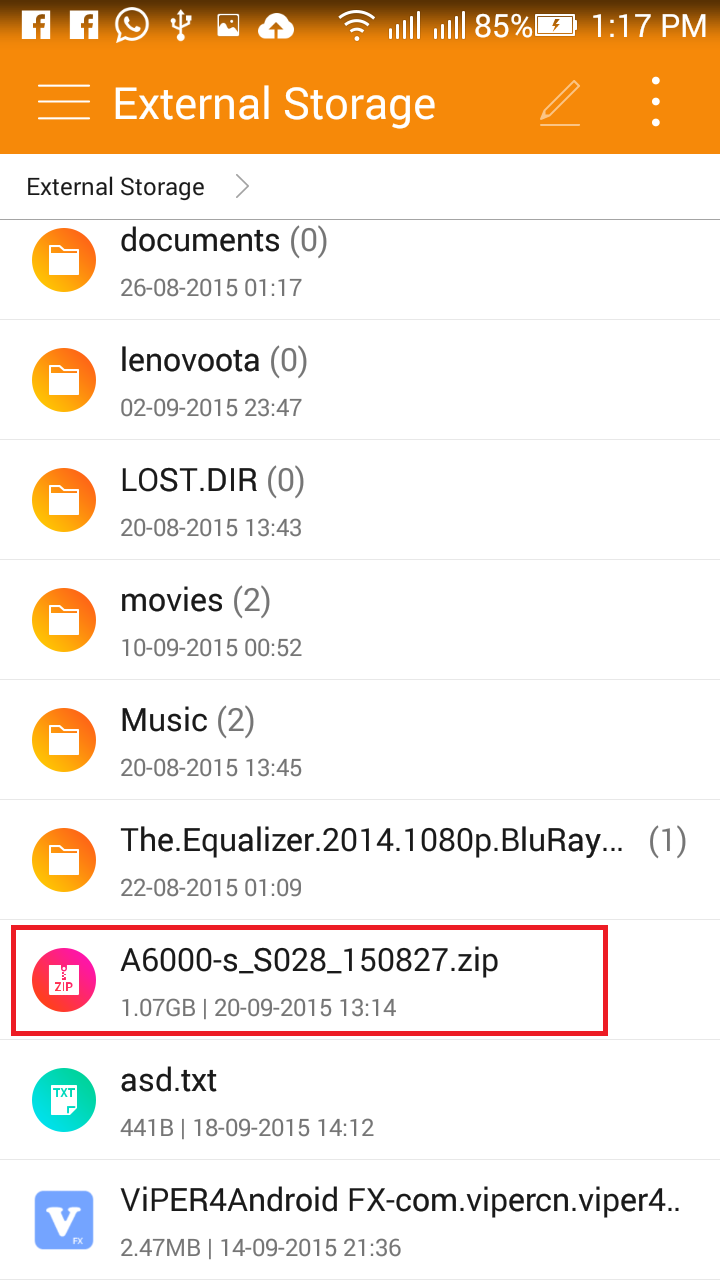
I. All in one file (lenovo downloader+stock firmware A6000+driver).
II. Further files for lenovo A6000 plus:(Not required for A6000)
+Minimal ADB and fastboot
+CWM recovery
+CWM recovery backup Kraft-A6000-s_S014_150730
OR
+CWM recovery backup Kraft-A6000-s_S010_150515
III. 7-zip or latest WinRaR to extract 7-zip files.
Credits:
XDAdevelopers
Boycracked
Ishtiyaq Husain
Techolaty.net
To root your lenovo a6000/plus running lollipop
If your phone is stuck on boot screen and not even going to the download mode:
For lollipop dtb:
http://forum.xda-developers.com/android/help/lenovo-a6000-stuck-logo-screen-t3200180
http://brickedlenovoa6000.blogspot.in/
For kitkat dtb:
coming soon
Credits: XDA devs
Boycracked
Ishtiyaq Husain
Techolaty.net
Vishal Patil
Mr. A
--------------------------------------------------------------------------------------------------------------------------
WARNING:
This method is actually for lenovo a6000 but for a6000 plus after flashing we need to recover the CWM backup of stock kitkat of lenovo a6000 plus.
Flashing requires a UPS backup or a laptop which won't shutdown in the middle as this process requires 6-8 mins
Note 1: SW updates
On lenovo A6000 plus Minor sw updates won't work on KitKat. On lollipop I have not tested as there is no minor update till now for lollipop.
Note 2: IMP During flashing
ii. In lenovo downloader it will seem like the flashing is stuck after some seconds but it is not so the flashing is going on so DO NOT UNPLUG THE USB.
iii. In lenovo downloader in the step tab only the firehose is seen but it doesn't mean that flashing is stuck. Let the process finish without disturbing the USB cable. It will require 6 to 8 minutes or 15 minutes max.
--------------------------------------------------------------------------------------------------------------------------
VIDEO GUIDE
--------------------------------------------------------------------------------------------------------------------------
THINGS REQUIRED:
- Laptop or PC with UPS *with windows 7 recommended* fully charged with a good USB port as the flashing takes 6-8 mins.
- Phone more than 70% charged and a good USB cable.
- Internet connection (For missing drivers if any).
- Files:
I. All in one file (lenovo downloader+stock firmware A6000+driver).
II. Further files for lenovo A6000 plus:(Not required for A6000)
+Minimal ADB and fastboot
+CWM recovery
+CWM recovery backup Kraft-A6000-s_S014_150730
OR
+CWM recovery backup Kraft-A6000-s_S010_150515
III. 7-zip or latest WinRaR to extract 7-zip files.
--------------------------------------------------------------------------------------------------------------------------
STEPS:
- Visit this link and follow the instructions and screenshots shown Link1 boycracked guide. Please refer NOTE 2 while flashing.
Now futher steps for Lenovo A6000 plus:
- So for lenovo A6000 plus after flashing the lenovo A6000 stock rom:
- Download the recovery file and place the backup on external sdcard Link3 techolaty cwm backup
- Boot into cwm by fastboot Link2 youtube and recover the cwm backup from cwm recovery.
- Reboot your device from the same custom recovery after the restore is complete.
- First boot will take less time after cwm bakup after that do a factory reset (which will take more time) from the settings menu or from the stock recovery. If you don't perform a factory reset you will see your internal storage as 4.33gb only.
Credits:
XDAdevelopers
Boycracked
Ishtiyaq Husain
Techolaty.net
--------------------------------------------------------------------------------------------------------------------------
To root lenovo a6000/plus running kitkatTo root your lenovo a6000/plus running lollipop
--------------------------------------------------------------------------------------------------------------------------
If your phone is stuck on boot screen and not even going to the download mode:
For lollipop dtb:
http://forum.xda-developers.com/android/help/lenovo-a6000-stuck-logo-screen-t3200180
http://brickedlenovoa6000.blogspot.in/
For kitkat dtb:
coming soon
Credits: XDA devs
Boycracked
Ishtiyaq Husain
Techolaty.net
Vishal Patil
Mr. A